The 2027 App Style Digital Planner puts your calendar, notes, and everyday planning pages within reach from one home dashboard. Jump from your monthly calendar to a weekly spread or daily schedule, then use the sidebar to get back to your notes, budget, or main to-do list.
You’ll get both Monday-start and Sunday-start editions, so you can use the one that feels natural to you.
WHAT’S INCLUDED
Two landscape, hyperlinked PDF planners, 491 pages each
A 2027 year view, 12 monthly calendars, 53 weekly layouts, and 365 dated daily pages in each edition
Daily pages with an hourly schedule from 6 AM to 10 PM, top priorities, to-dos, and notes
Google Calendar shortcuts beside each hour that open a new event with the date and one-hour time slot already filled in
An Important Dates page and a main to-do list
12 reusable note templates, including ruled, dot grid, Cornell, checklist, and meeting notes
12 linked custom sections you can label and fill with copies of your favorite note pages
LIFE ESSENTIALS
Monthly budget pages and habit trackers
Side-by-side bills and subscription trackers with room for 15 entries each
Savings goals and a contribution log
Weekly meal planning and a grocery list
Home Reset for daily, weekly, monthly, and seasonal upkeep
Weekly wellness check-ins
Goals and project planning
HOW TO USE IT
Download your preferred edition and import it into Goodnotes or another PDF annotation app that supports hyperlinks. In Goodnotes, use Read Only Mode to tap the links, then switch to editing mode to write or annotate.
This is a digital download. No physical item will be shipped. A compatible PDF annotation app is required and is sold or downloaded separately. Google Calendar shortcuts open an event draft for you to review and save.

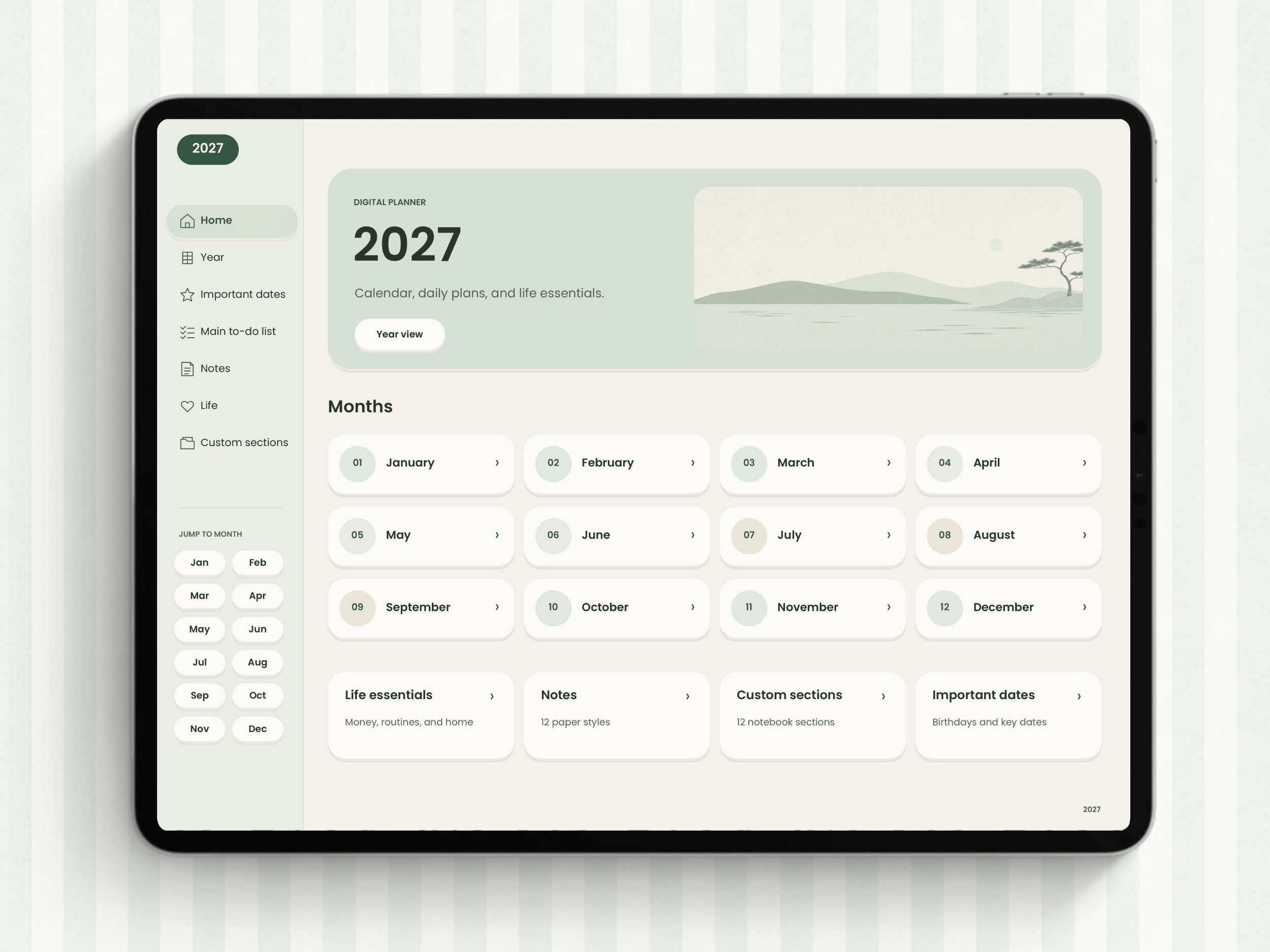 Image 1 of 15
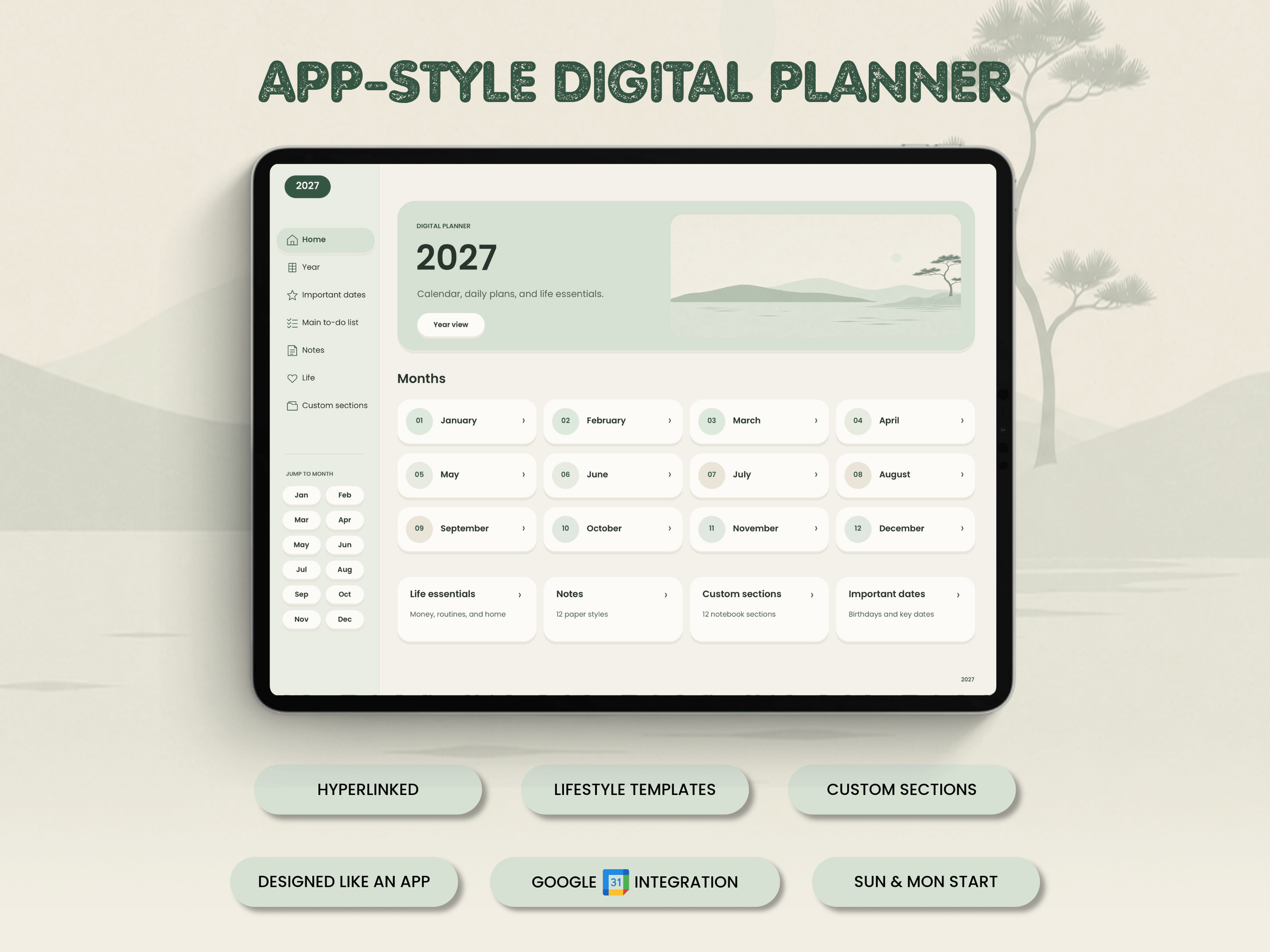 Image 2 of 15
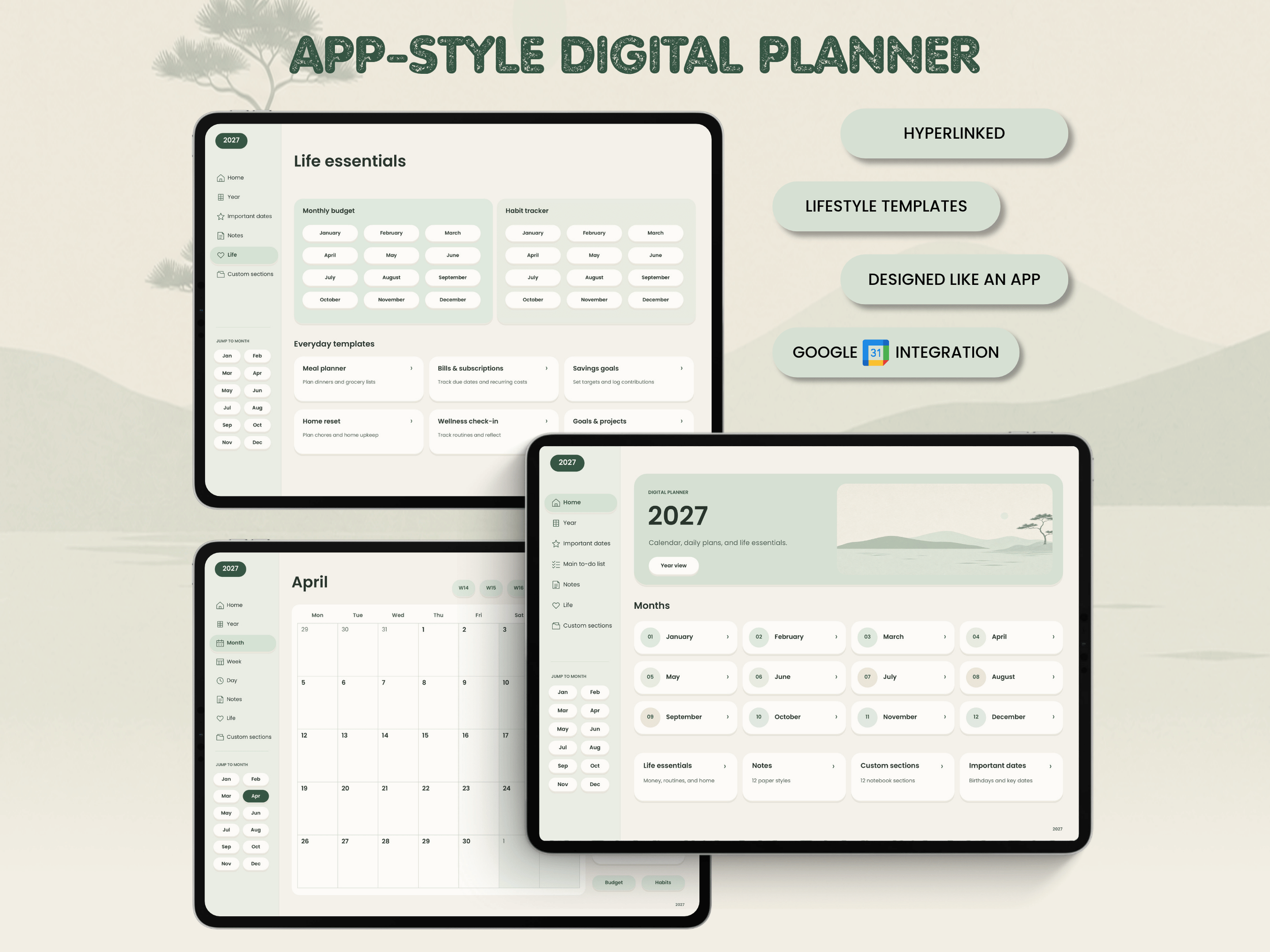 Image 3 of 15
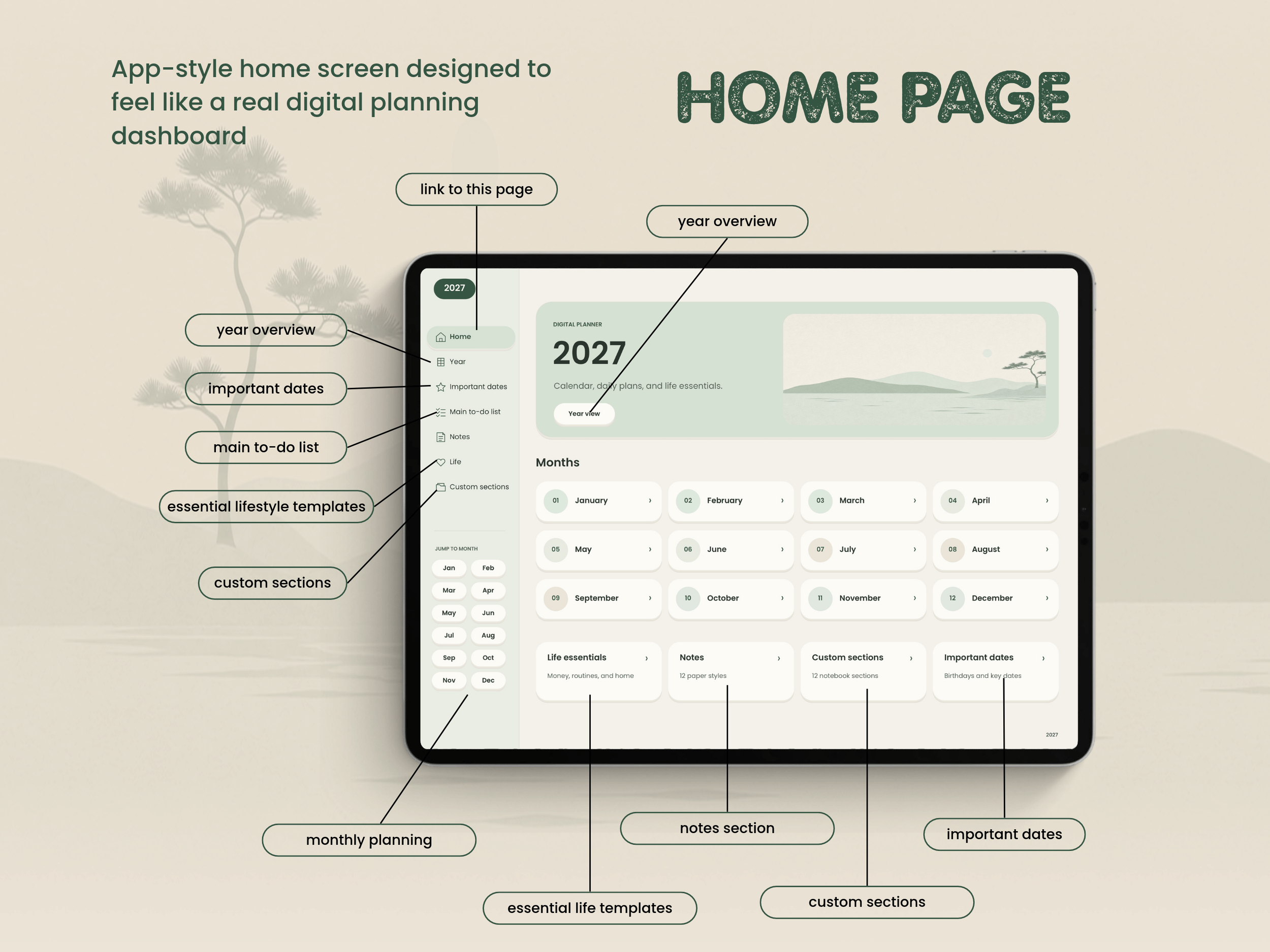 Image 4 of 15
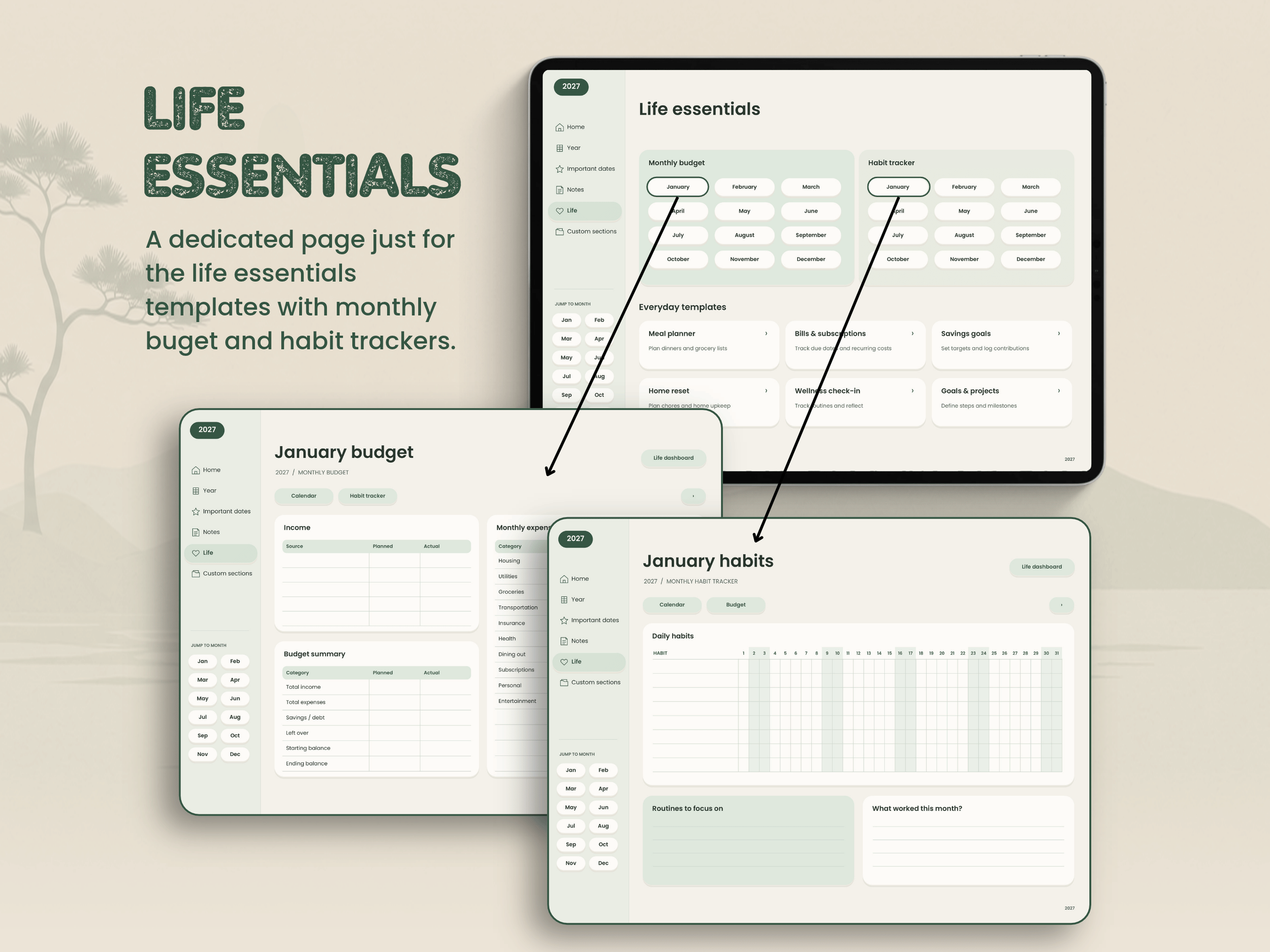 Image 5 of 15
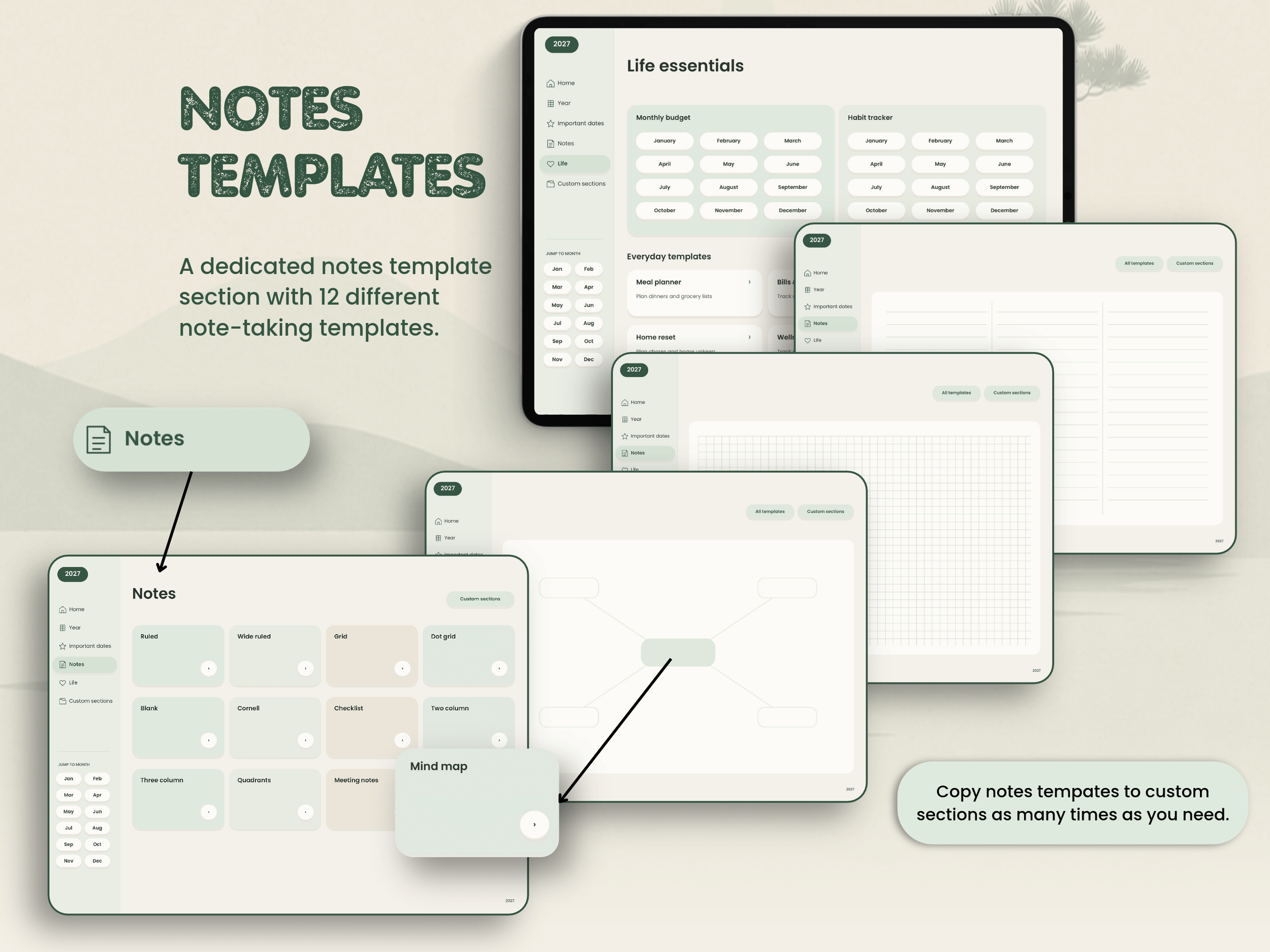 Image 6 of 15
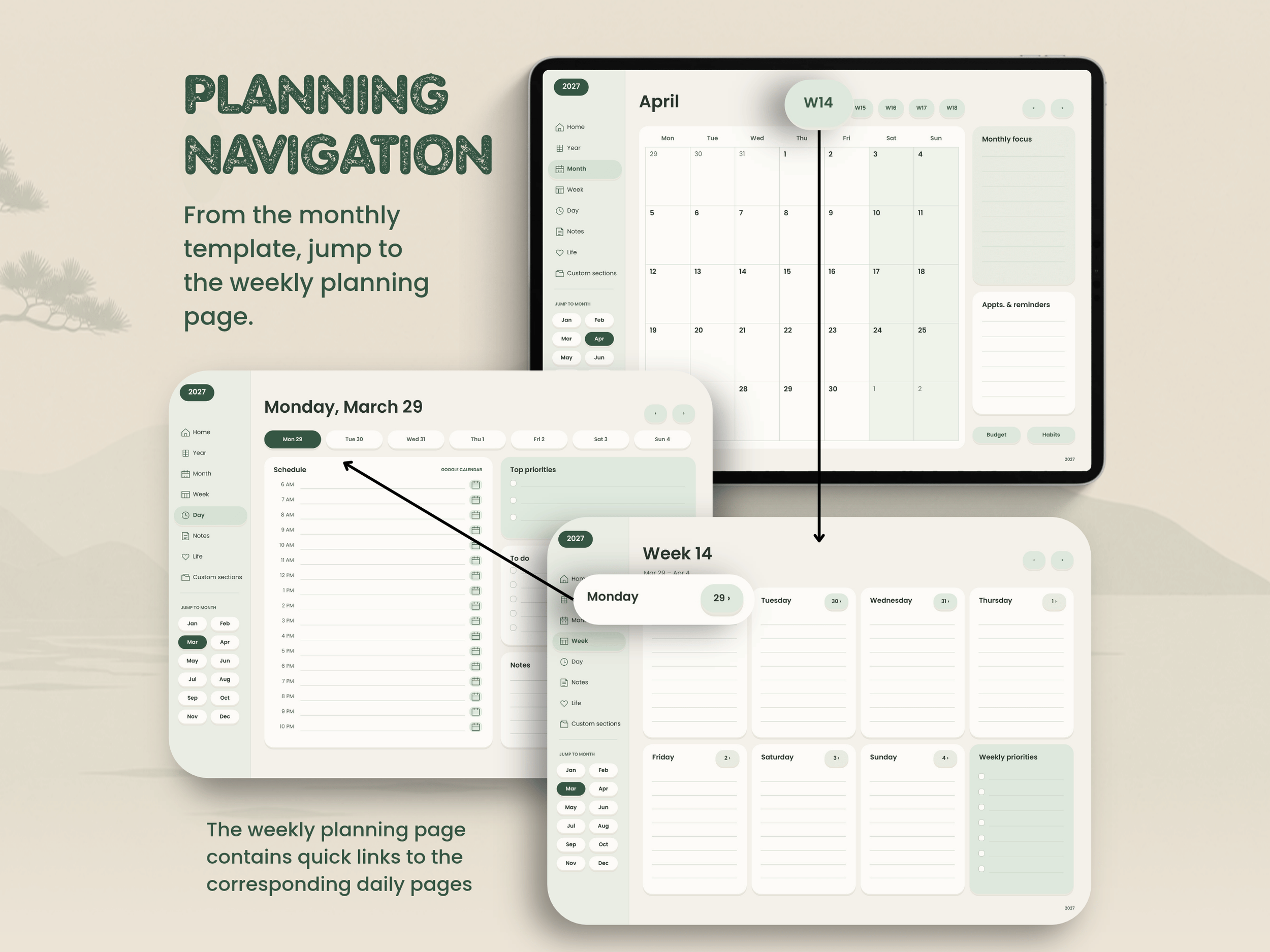 Image 7 of 15
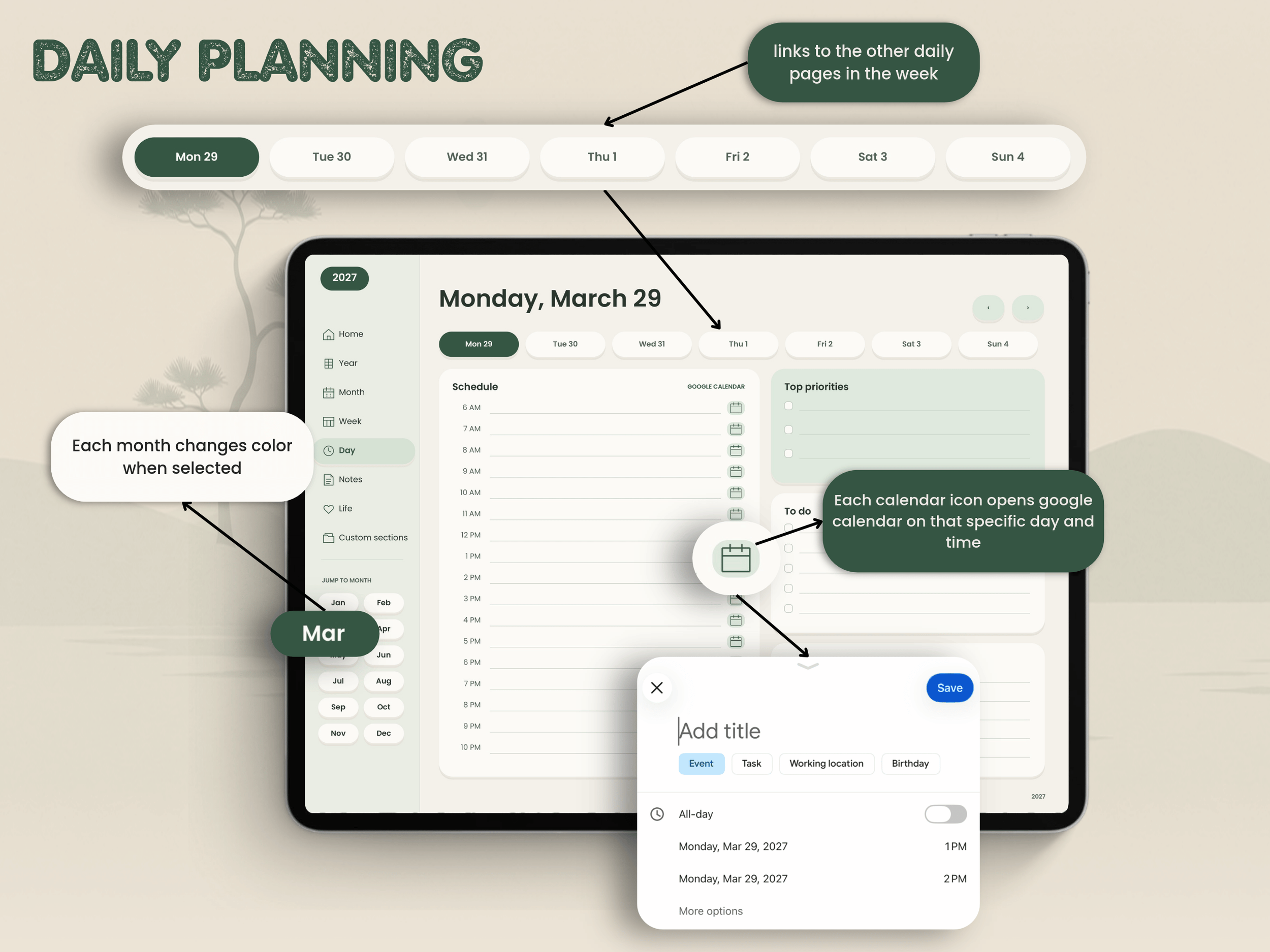 Image 8 of 15
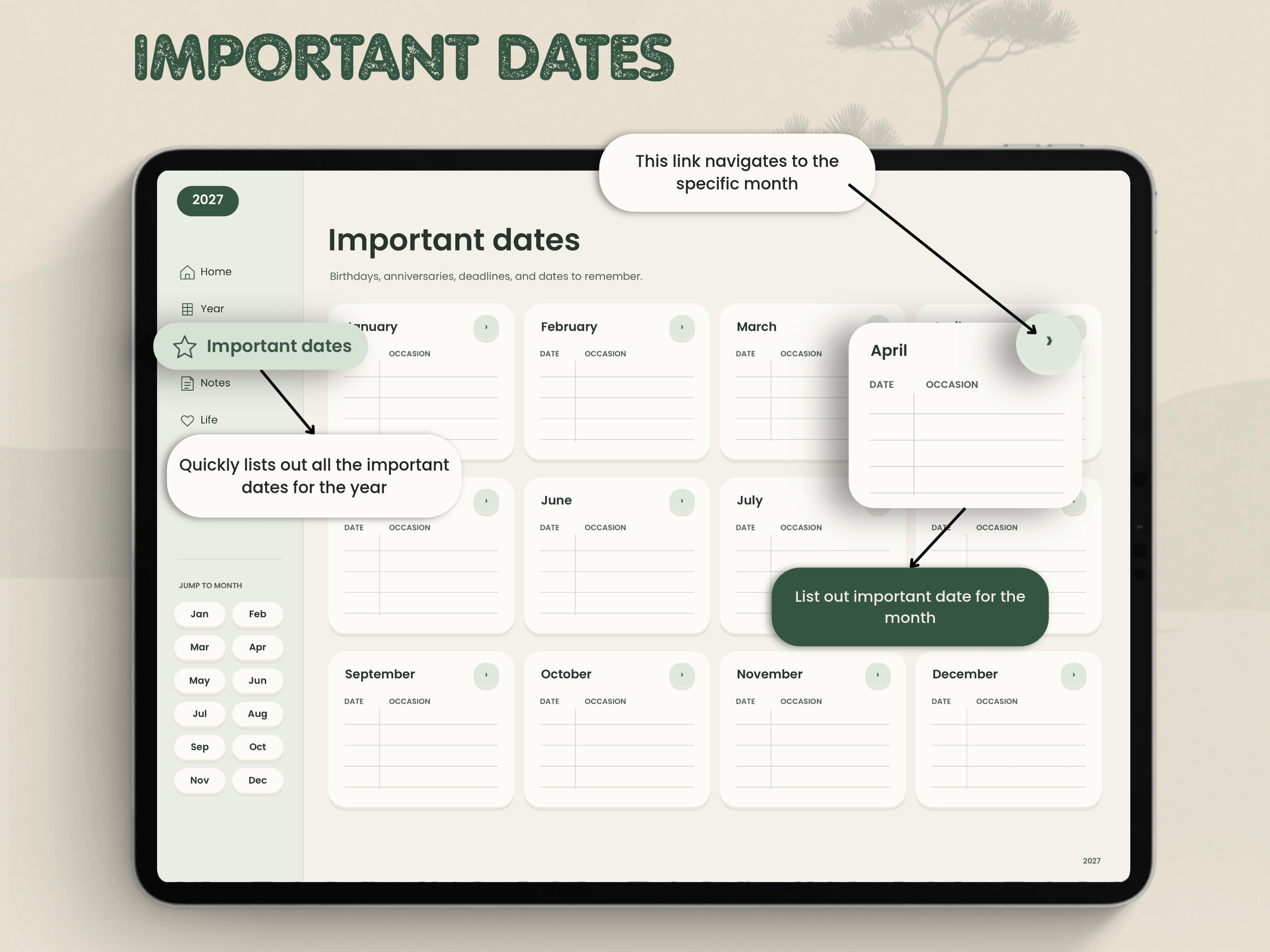 Image 9 of 15
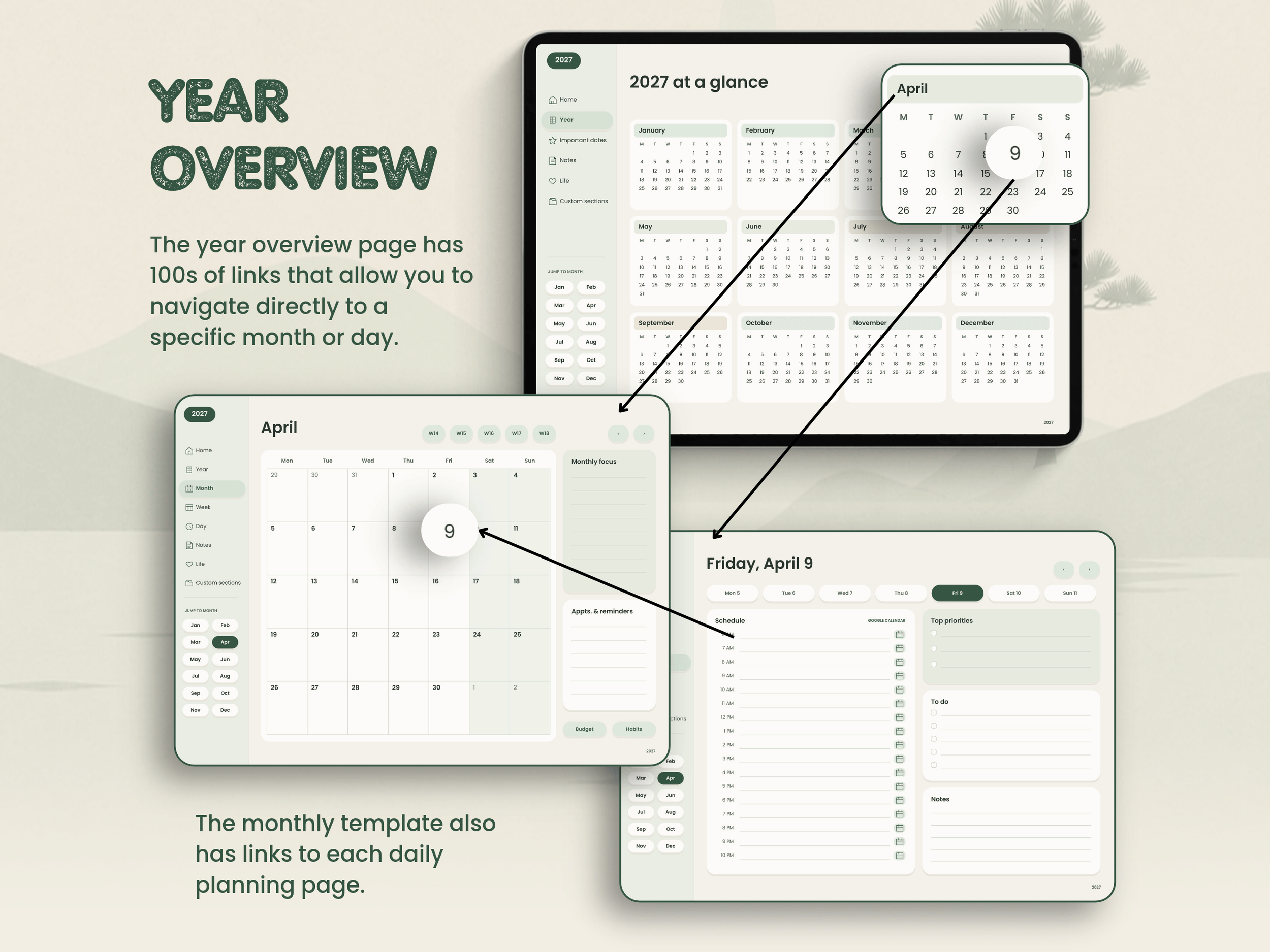 Image 10 of 15
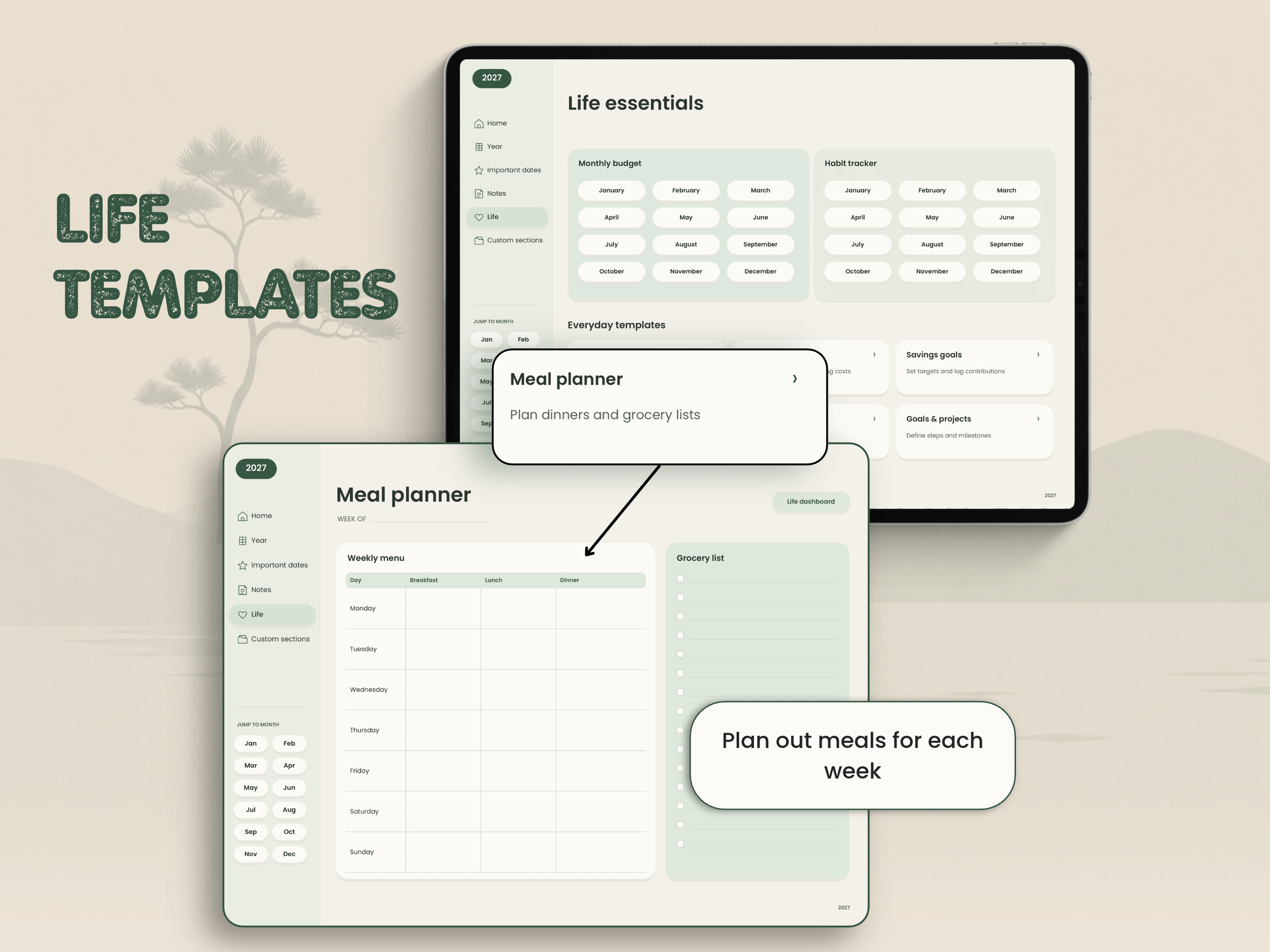 Image 11 of 15
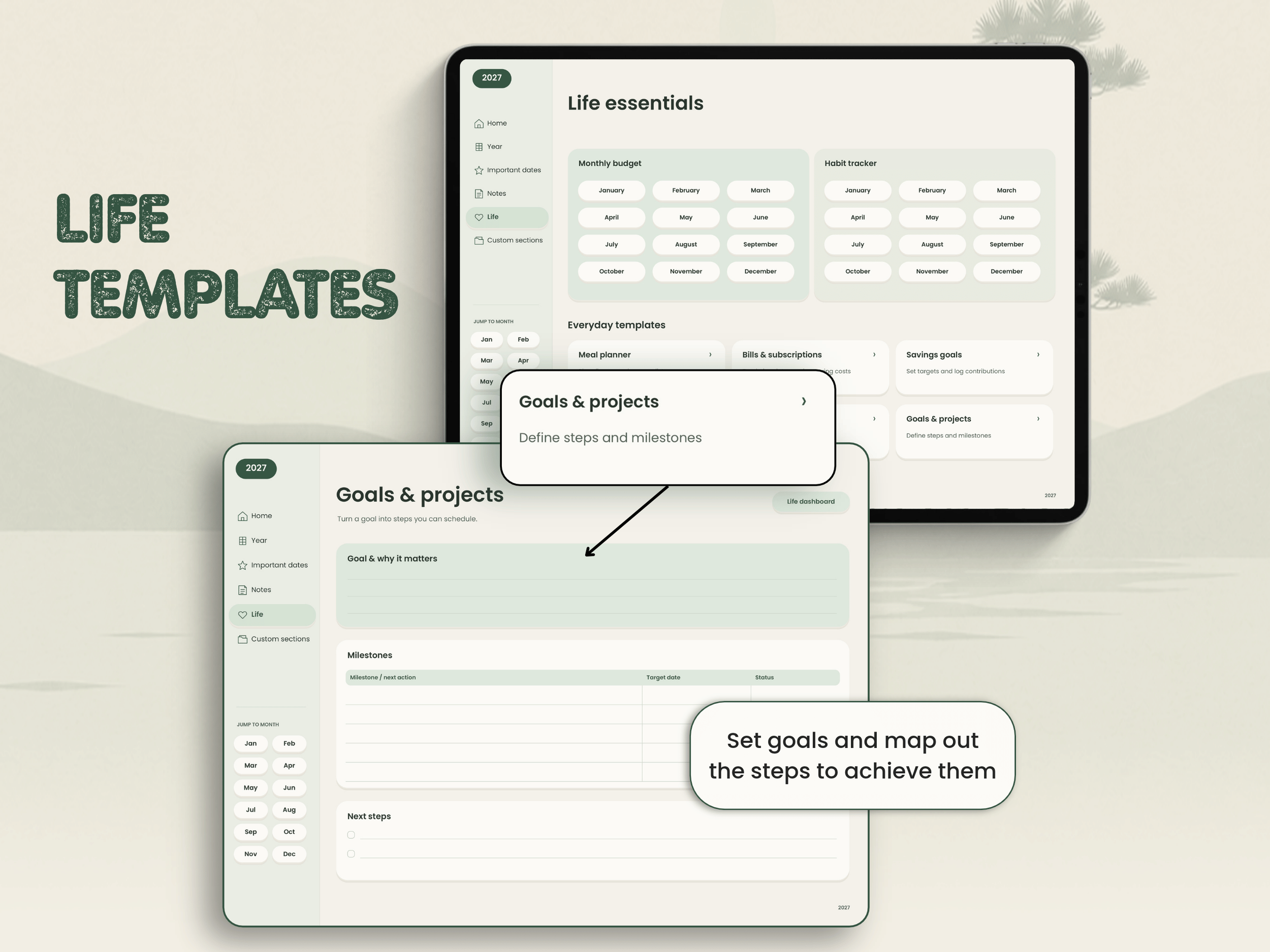 Image 12 of 15
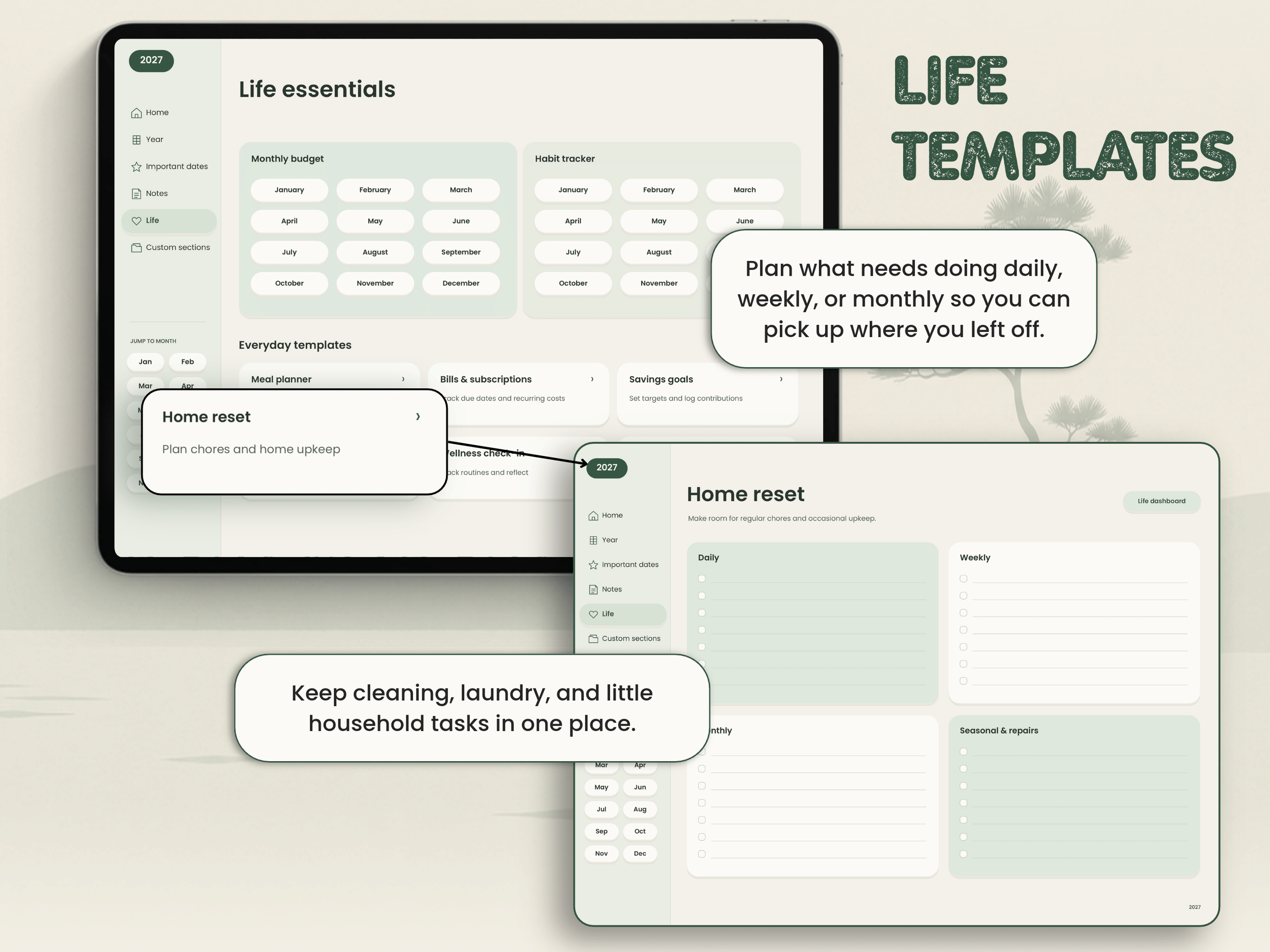 Image 13 of 15
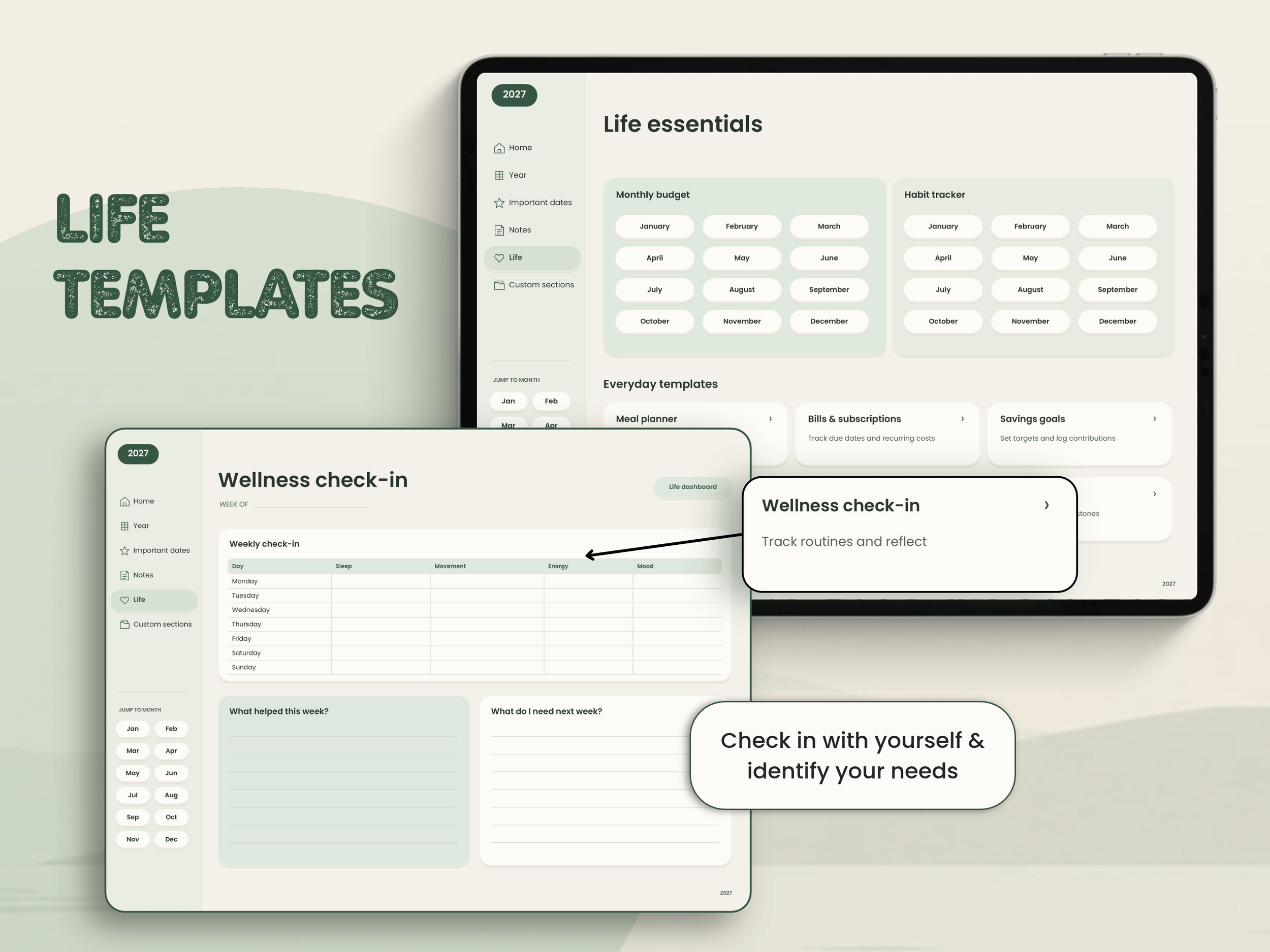 Image 14 of 15
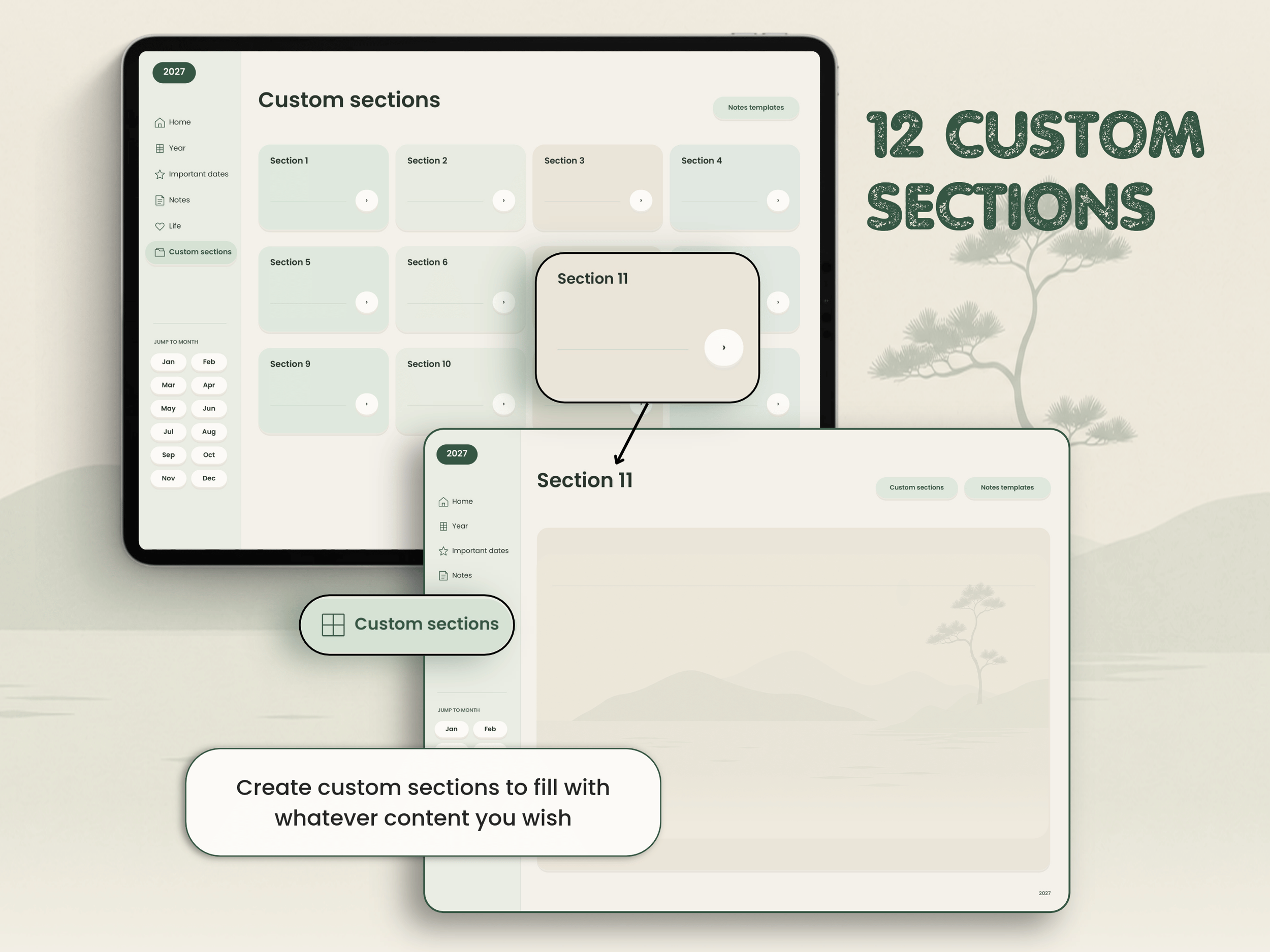 Image 15 of 15